UNDISCLOSED CLIENT · 2023 · NATIVE MACOS
Hedge
The tool their whole studio review runs on, rebuilt.
A Los Angeles creative advertising agency ran their whole client-review process through a Mac app that was discontinued in 2018 and was about to be locked out by macOS itself. We built the replacement, and used the rebuild to fold in the features their team had always wished the old tool had.
// 01 · THE SITUATION
A rare chance to build it right,
from scratch.
The client makes key art for film campaigns. The posters and the artwork a studio approves before it goes out to the world. Their process is the same one every day: pull together a set of images, label them, and send them to the studio for review.
The tool that did it was Phase One Media Pro, on the 32-bit version the agency ran. Phase One discontinued it in 2018 and stopped selling it. Then Apple announced that the next version of macOS would drop 32-bit support entirely, which put a date on the calendar for the day this software would simply stop opening.
They couldn't let that happen, so they worked around it. A handful of machines were held back on an older operating system and quarantined for this one task, because everything the review process touched ran through that dead software and nothing else did what they needed. Anyone who had to use the tool went to one of those machines to do it.
That is a quiet kind of trapped, and it costs more than the inconvenience. Old, unpatched, discontinued software sitting on machines inside your building is a security liability, and this is an agency that handles unreleased studio artwork and gets audited by the studios it works for. A workaround that keeps the lights on can also be the thing that fails an audit.
So rather than nurse it along another year, they did what almost nobody gets to do with a tool they depend on: rebuild it from nothing, shaped around how they actually work, with the features the old one never had. That is the project. A native Mac application that does what their team does, without the machines they had to hide to keep the old one alive.
// 02 · WHAT WE BUILT
A tool shaped like the work,
not like the old software.
Their work, in a file they own.
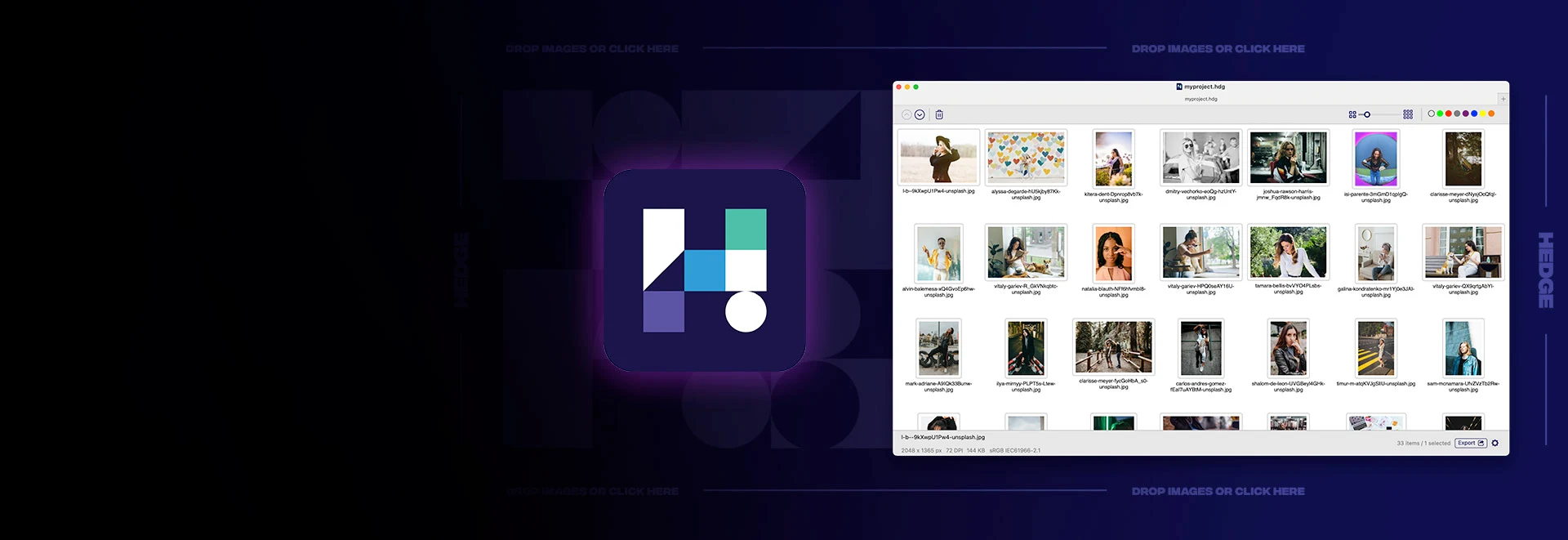
A project in Hedge is a real Mac document with its own file type. It has an icon, it opens from the Finder, and it holds the whole job: the images, their order, the labels, the export settings.
A "Package Project" command copies every image the project uses into one folder alongside the file, so a job can be moved to another machine or handed off without anything going missing. And the app saves versioned copies on its own timer, so a day's work is never one crash away from gone.
The parts their team touches every day.
Getting a batch of files named to a studio's convention was constant work. Hedge builds the name out of the pieces that actually go into one: client name, project name, an ID number, a serial that can start wherever you want and count up, and free text. A person assembles the convention once from those parts and watches it apply to real filenames as they go, so what they build is what they get. Rename runs on the whole batch or on a single file, and it renames the file on disk, not just a label on screen.
Revisions get their own handling, because in a review tool they are the main event. A studio sends back a corrected piece of art, and instead of deleting, re-importing and re-ordering, the team drops the new file straight into the same slot. Its position holds, its label holds, nothing around it moves.
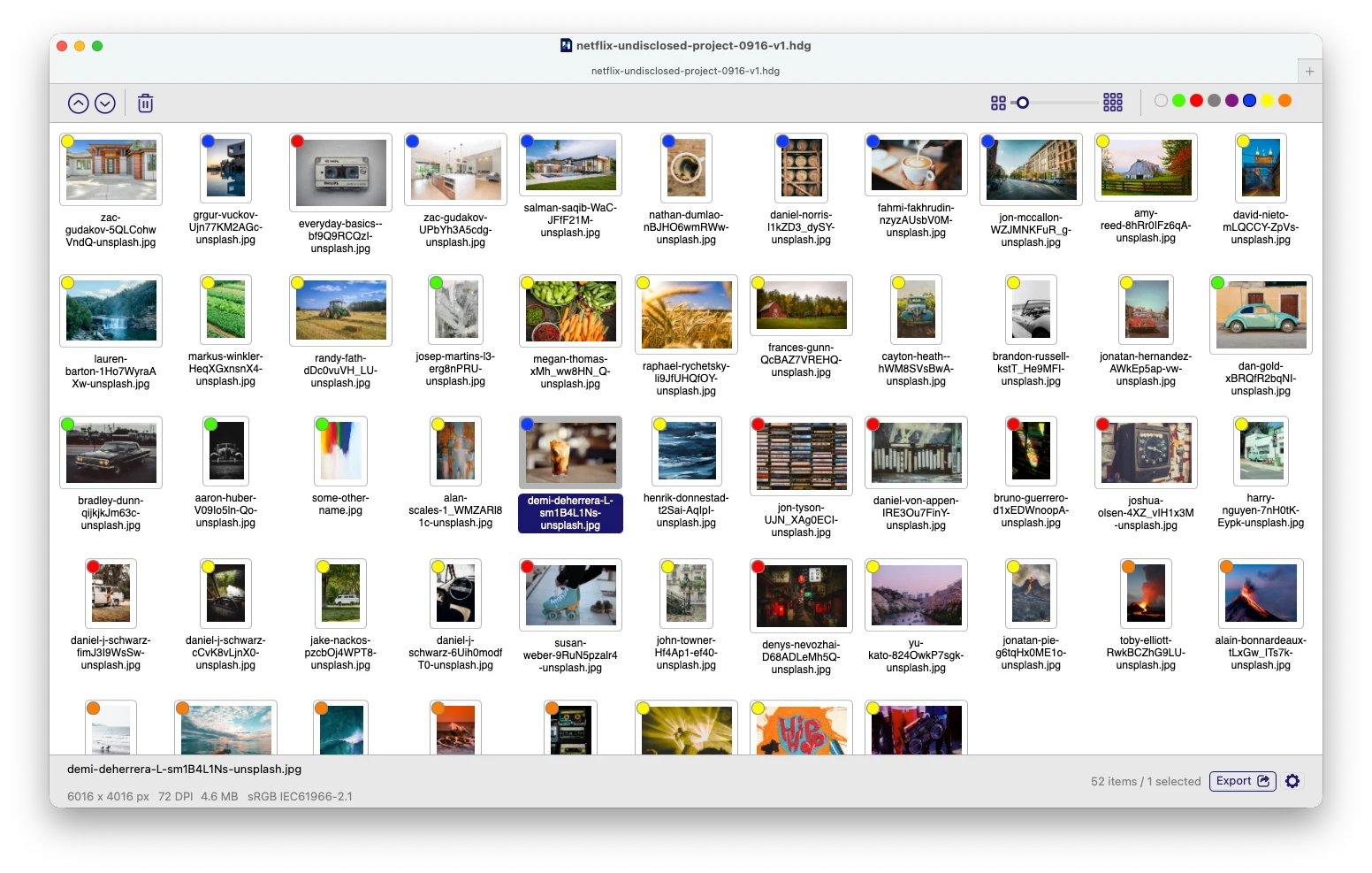
And any image can carry a Finder-style color label, so a grid doubles as a status board: approved, revise, hold, whatever the team decides the colors mean. One glance tells you where a set stands.
A client-ready booklet, built in.
Most of this work ends as a PDF sent to a studio for review. So the app builds one directly, without a round trip through other software.
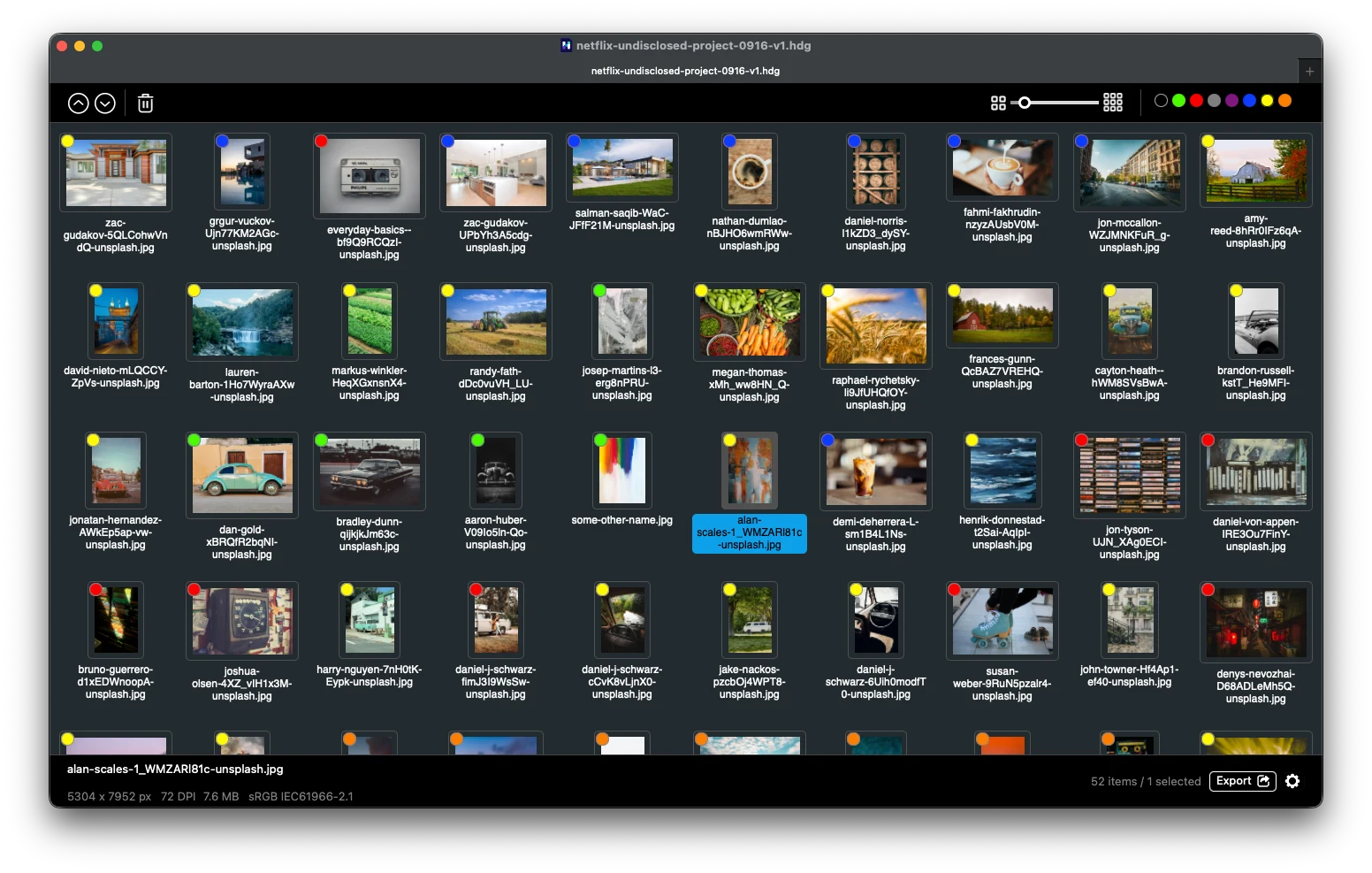
One, two, or four images to a page. Portrait or landscape. A logo and footer, page numbers, and a caption under each image so the studio can give feedback item by item. The PDF can render on a dark background as well as a light one, so a set can be reviewed the way it will actually be seen.
The point is that the thing the client actually receives is a first-class part of the tool, not an afterthought exported somewhere else.
It looks before it bothers you.
Images live on shared drives, and shared drives get reorganized. Folders get renamed, files get moved, and a tool that only remembers exact locations turns into a wall of broken links the next morning.
Hedge looks harder before it gives up. If an image isn't where it was, it checks the path relative to the project, checks a saved bookmark the Mac keeps for moved files, and checks the project's own folder, in that order, before it ever shows a person a "missing file" message. Most of the time the file is found and the person never knows anything moved.
When it genuinely can't find something, it doesn't dump a wall of broken links on you either. It shows you exactly what's missing and lets you point it at one file. From there you can tell it to relink everything else from that same folder in one move, or not, in case a newer version of those images lives somewhere else. It helps as much as it can, then leaves the judgment to the person.
// 03 · THE HARD PART
We couldn't watch it fail, so it couldn't fail.
Most software tells you when it breaks. Something goes wrong on a user's machine and a report comes back, you find it, you patch it next week. That whole safety net runs over the internet, and this app never touches the internet.
That was a requirement, not an oversight. It runs entirely inside the agency, on unreleased studio artwork, and nothing about it is allowed to phone home. Which means no error reports, no remote look at what went wrong, no quiet fix on Tuesday. Whatever shipped had to be right, because nothing was going to come back and tell us it wasn't.
Building blind like that changes how you work. We couldn't put a copy of their setup on our own hardware either, because the thing that broke things was never the app on its own, it was their server, their file structure, and the way a real team moves work around all day. So we tested where those conditions actually existed: a remote session into one of their own machines, a country away, loading real images off their drive, building a project, packaging it, moving it, and checking that every reference still held.
To get a real feedback loop out of that, we installed Xcode on their machine and ran the app straight from it, so we could watch it work live, catch a failure the moment it happened, and make small fixes on the spot instead of guessing, packaging an installer, and waiting to find out. When something needed a proper build, each fix went out as a signed installer their IT pushed to the team, and each one had to land, because nothing was waiting to catch the one that didn't.
That constraint is what produced the file-finding described above. The first version did what most tools do when an image goes missing: turn the name red and make the user relink it. But testing on a real agency's drives, where files move constantly, showed that a red-name-relink tool would have someone relinking files half the morning. So we built the four-step search instead. It wasn't in the spec. It came from working against how a real team's files actually behave rather than the tidy version a spec imagines, which, when you can't watch the software fail, is the only way to find what will.
// 04 · THE STACK
Why these choices.
Native Swift and AppKit, not a web app in a window. The drag-and-drop reordering, a real undo and redo stack behind both dragging and the arrow keys, the way it feels like a Mac program rather than a website: all of that comes from building it as a genuine Mac application. A cross-platform wrapper would have been faster to build and worse every day they used it.
AppKit, because the app had to run on Macs the newer tools leave behind. The client needed it to work on older versions of macOS, which ruled out Apple's newer interface framework and meant building on the older, proven one. It's less fashionable and more work, and it's the reason a designer on a five-year-old machine can still open it and get their job done.
The PDF is built on the Mac's own graphics layer, not a third-party library. Precise, print-ready output is the entire deliverable here, so the part that draws it is code we control rather than a library we'd have to fight for the last ten percent.
No internet, by design. The app was built to work with the network unplugged, because that's how it runs. Nothing depends on a server we operate.
It handles the messy formats too. Photoshop files, HEIC, TIFF and the rest, including the ones the Mac can't preview on its own, which needed their own handling so the grid never shows a blank where an image should be.
// 05 · THE GALLERY
The Tool
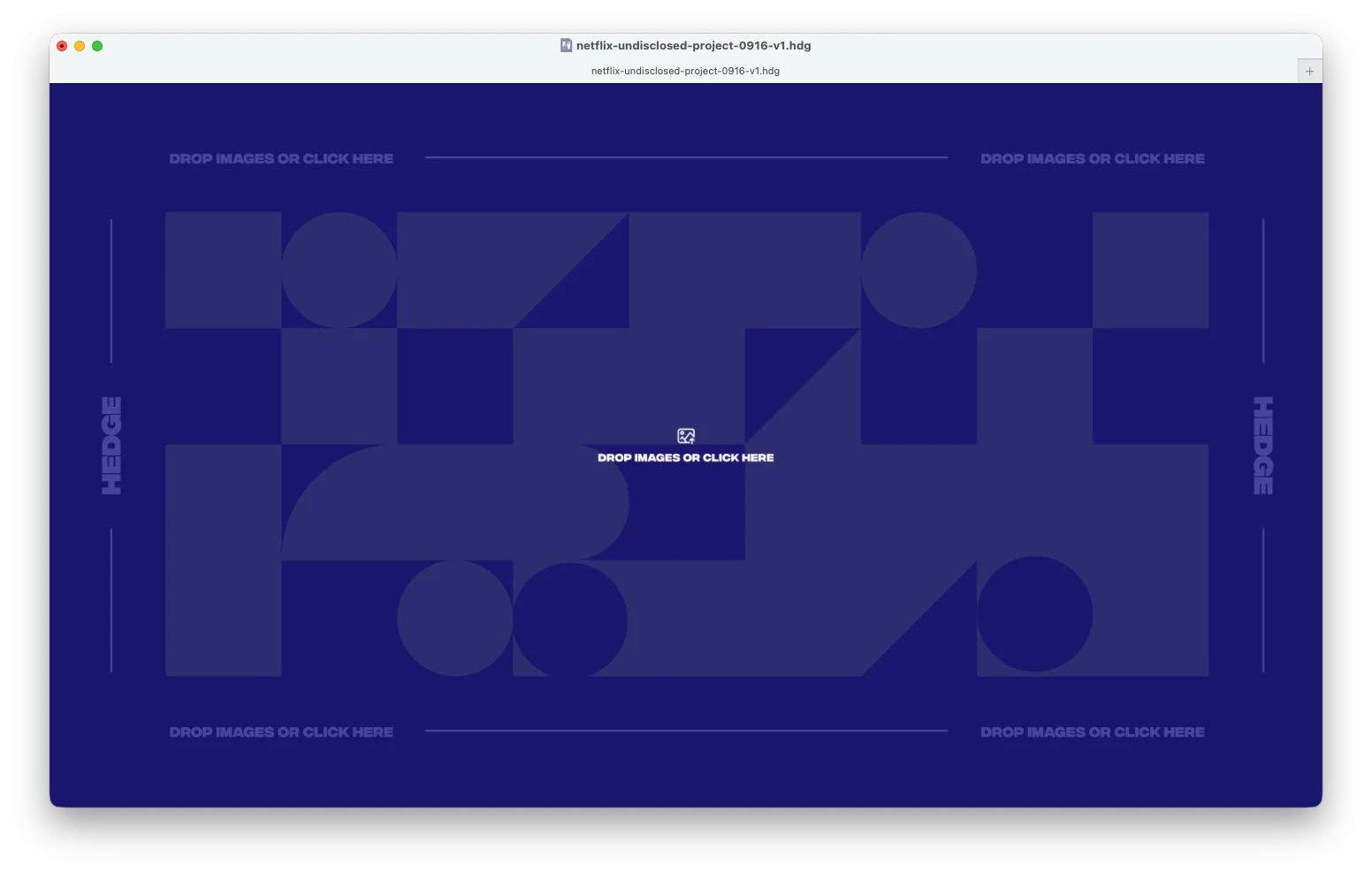
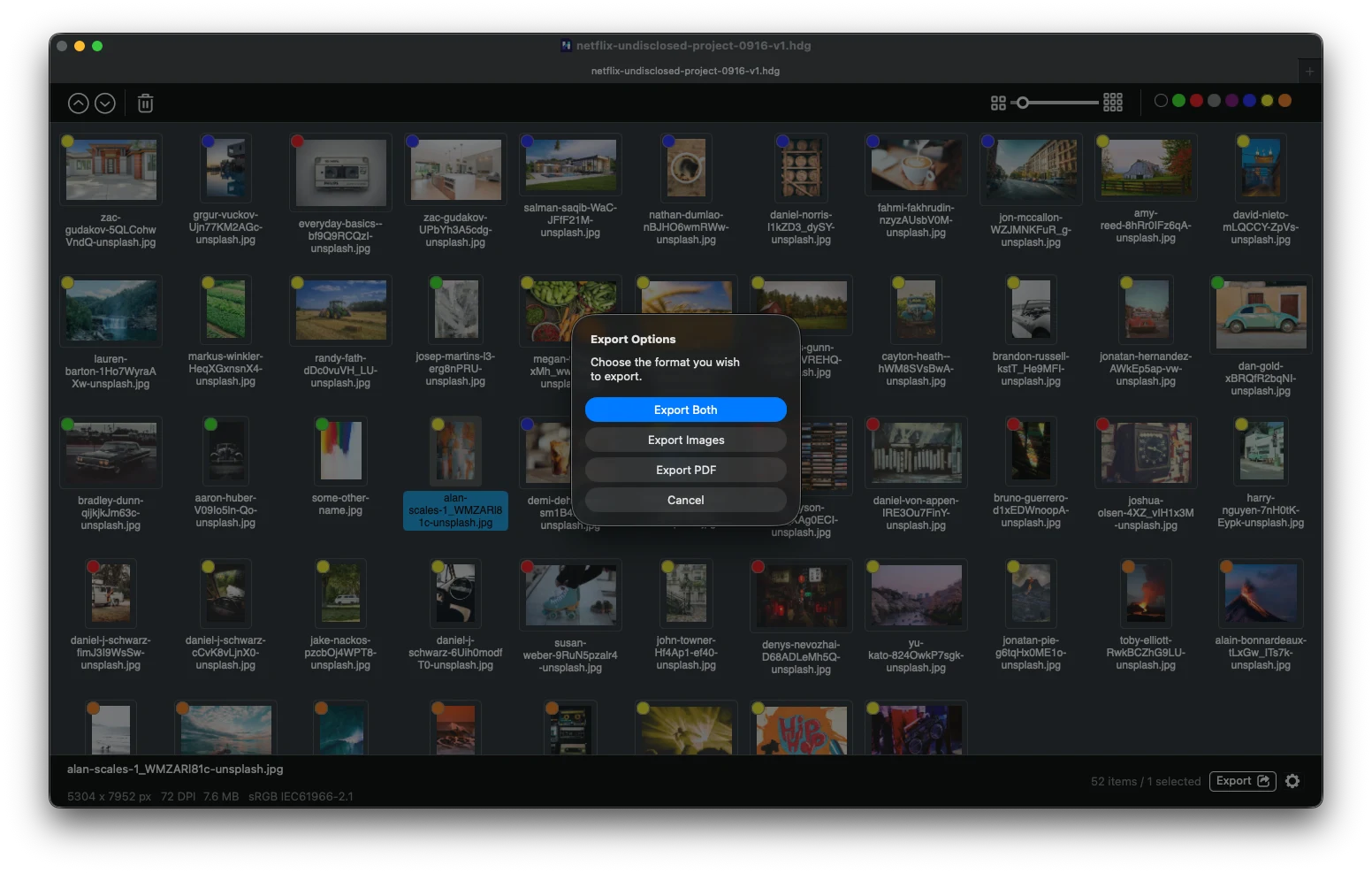
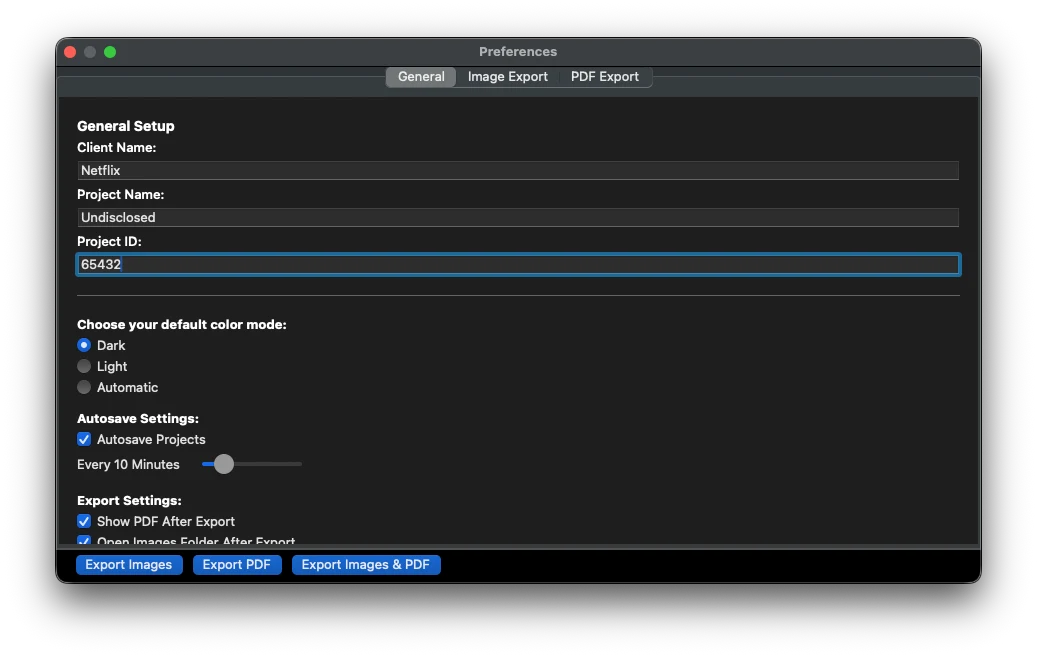
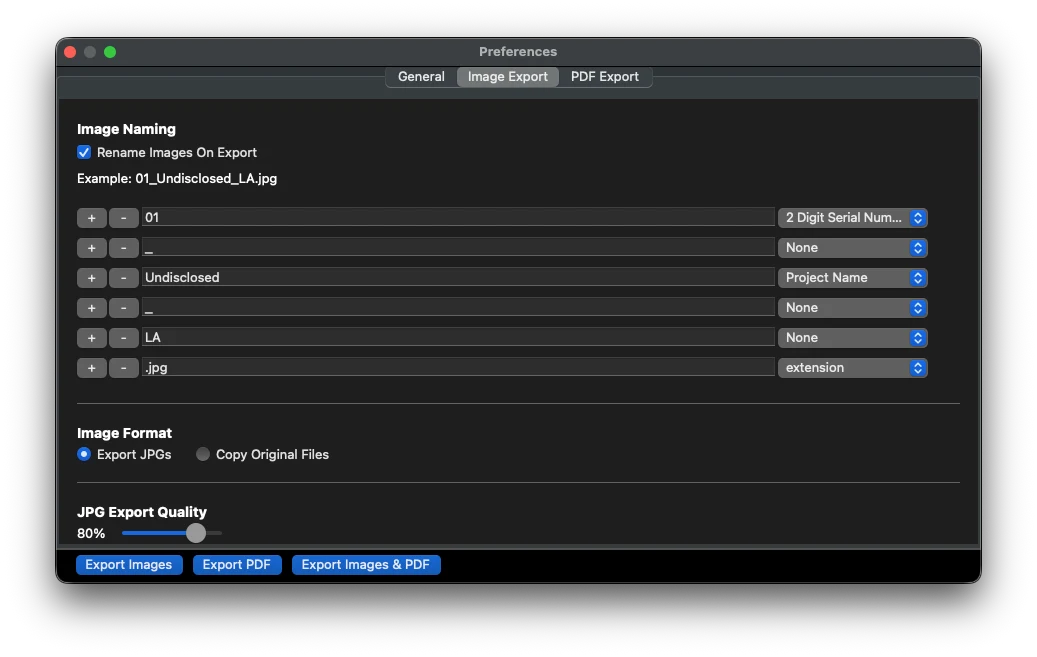
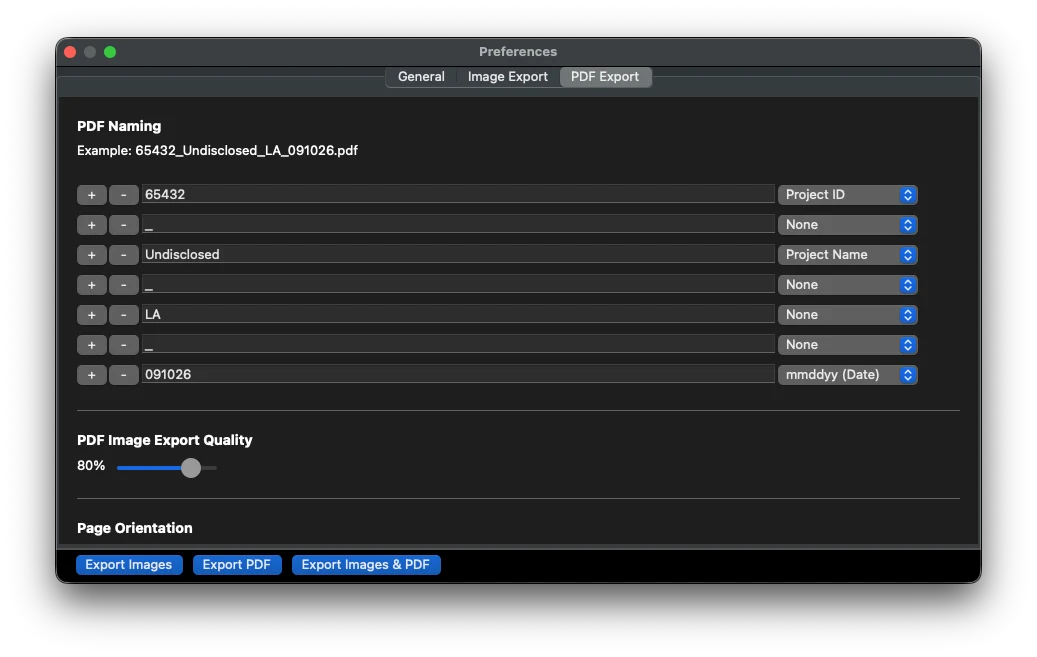
The initial state of a project — an empty grid, waiting for images to be dropped in
The initial state of a project — an empty grid, waiting for images to be dropped in
// NEXT CASE STUDY
AE Organizer// START HERE
TELL US WHAT
YOU'RE BUILDING.
Twenty minutes with a senior engineer, and you'll leave with how we'd build it, roughly what it takes, and what we'd worry about first. We read every message ourselves and reply within one business day.
A rough idea is enough to start.
That's in front of us now.
You'll hear back within one business day, from an engineer rather than a form letter. Nothing else needed on your end.
Or just email us at hello@queencity.io